

Shopify SEO Checklist for 2026 The Complete Guide to Fixing What’s Actually Killing Your Rankings
Contents
You’re Losing Customers Right Now and You Might Not Even Know It
Running a Shopify store in 2026 is not the same as running one five years ago. Search has changed. Google results are more visual, more product-driven and more influenced by AI summaries. Buyers compare products faster, they expect pages to load quickly, filters to work smoothly, reviews to be visible and product information to be clear before they even think about adding something to cart.
That means Shopify SEO checklist for new stores is no longer just about writing meta titles, adding a few keywords and publishing blogs once in a while.
Here is what most Shopify merchants don’t realize is that search visibility in 2026 is harder than it has ever been. Shopify now powers 6.9 million active stores worldwide. That’s 6.9 million stores all competing for the same limited spots on Google’s first page. And Google has made no secret that it’s gotten pickier about what earns those spots.
Let’s look at what the numbers actually say-
- 9M Live Shopify stores worldwide (2026)
- 75%+ Users who never scroll past page one
- 54% to 70% Clicks that go to the top 3 organic results
- 3x–5x Avg. organic traffic increase after a proper SEO fix
- 65% Google searches that end without a click
- >60% Stores with critical technical SEO issues undetected
Those last two numbers are the ones that should catch your attention. More than 60% of Shopify stores are sitting on technical SEO problems they do not know about problems that are actively downgrading their rankings every single day. And the stores that fix them consistently see organic traffic multiply.
This Shopify SEO checklist is built to help store owners, marketers and ecommerce teams find the issues that quietly hold back rankings, traffic and revenue.
What is Shopify SEO Guide and Why Does It Actually Matter?
Why is my Shopify store not ranking on Google? This is most asked question we get. Shopify SEO Is Not Just Meta Tags. When people say “SEO,” they usually think of meta titles, descriptions or maybe a few keywords added into product pages. That’s the surface layer. The actual Shopify SEO goes several layers deeper and what happens underneath is far more influential than the copy you write on top.
Shopify SEO best practices is the mix of technical, content and authority-building practices that tell Google three things about your business or store-
- Find me: Can Google’s crawler actually discover and access your pages without hitting dead ends or getting confused?
- Understand me: Does the structure, content and metadata on your pages clearly communicate what each page is about?
- Trust me: Are there enough credibility signals like links, reviews, structured data, consistent content for Google to rank you confidently?
All three have to work together. You can have outstanding product copy but if Google is wasting crawl budget on thousands of duplicate filter pages, your best products will not get indexed properly. You can earn great backlinks but if your Core Web Vitals are not fixed due to a poorly coded theme, your rankings will suffer. That’s why I have created this Shopify SEO checklist for beginners as well for stores who want to boost their SEO game.
The Shopify SEO Checklist and Issues That Kill Rankings
If you’ve been wondering how to do SEO on Shopify or how to fix Shopify SEO problems the right way, this is the list to start with. These 15 Shopify SEO problems come up again and again across Shopify stores, and fixing them is one of the fastest ways to improve Shopify SEO without touching your design or your products.
Below are the most common and highest-impact SEO issues we see across Shopify stores. For each issue, I have included what it is, why it hurts your rankings and exactly how to fix it.
1. Duplicate Product URLs from Shopify Collection Paths
-
What it is
Shopify can make the same product accessible through more than one URL. For example-
- /products/black-leather-bag
- /collections/bags/products/black-leather-bag
Both URLs may show the same product. That creates duplicate versions of the same page.
-
Why it hurts rankings
When search engines find multiple URLs with the same or nearly identical content, ranking signals can get split. Instead of one strong product URL, Google sees multiple similar versions and has to decide which one should rank.
-
How to check it
Crawl your store using Screaming Frog, Sitebulb, Ahrefs Site Audit or Semrush Site Audit. Look for duplicate titles, duplicate H1s and duplicate product URLs.
Also check whether product pages accessed through collection paths point back to the main product URL using a canonical tag.
-
How to fix it
Make sure your product pages use correct canonical tags. The preferred product URL should usually be the clean /products/ version.
Also check your theme files. Some themes link to products through collection-based URLs by default. A developer can update product card links so they point to the clean product URL instead.
2. Crawl Budget Waste from Filters and Faceted Navigation
-
What it is
Filters are useful for shoppers. They help users narrow products by size, color, material, price, brand and availability.
The SEO problem starts when every filter creates a crawlable URL. A collection with a few filters can generate hundreds or thousands of low-value URLs.
-
Why it hurts rankings
Search engines spend time crawling filtered URLs instead of important product and collection pages. Many filtered pages have thin or duplicate content, which can create index bloat.
-
How to check it
Look inside Google Search Console and your crawl report for URLs containing-
- ?filter
- ?sort
- ?variant
- price=
- color=
- size=
If these URLs are being crawled or indexed at scale, your store may be wasting crawl budget.
-
How to fix it
Use canonical tags, no-index rules where appropriate and a smart filtering setup. In many cases, filtered URLs should point back to the main collection page unless the filtered page has real search demand and unique value.
Do not block important pages blindly in robots.txt. Review filter behavior carefully before making changes.
3. Slow Page Speed
-
 What it is
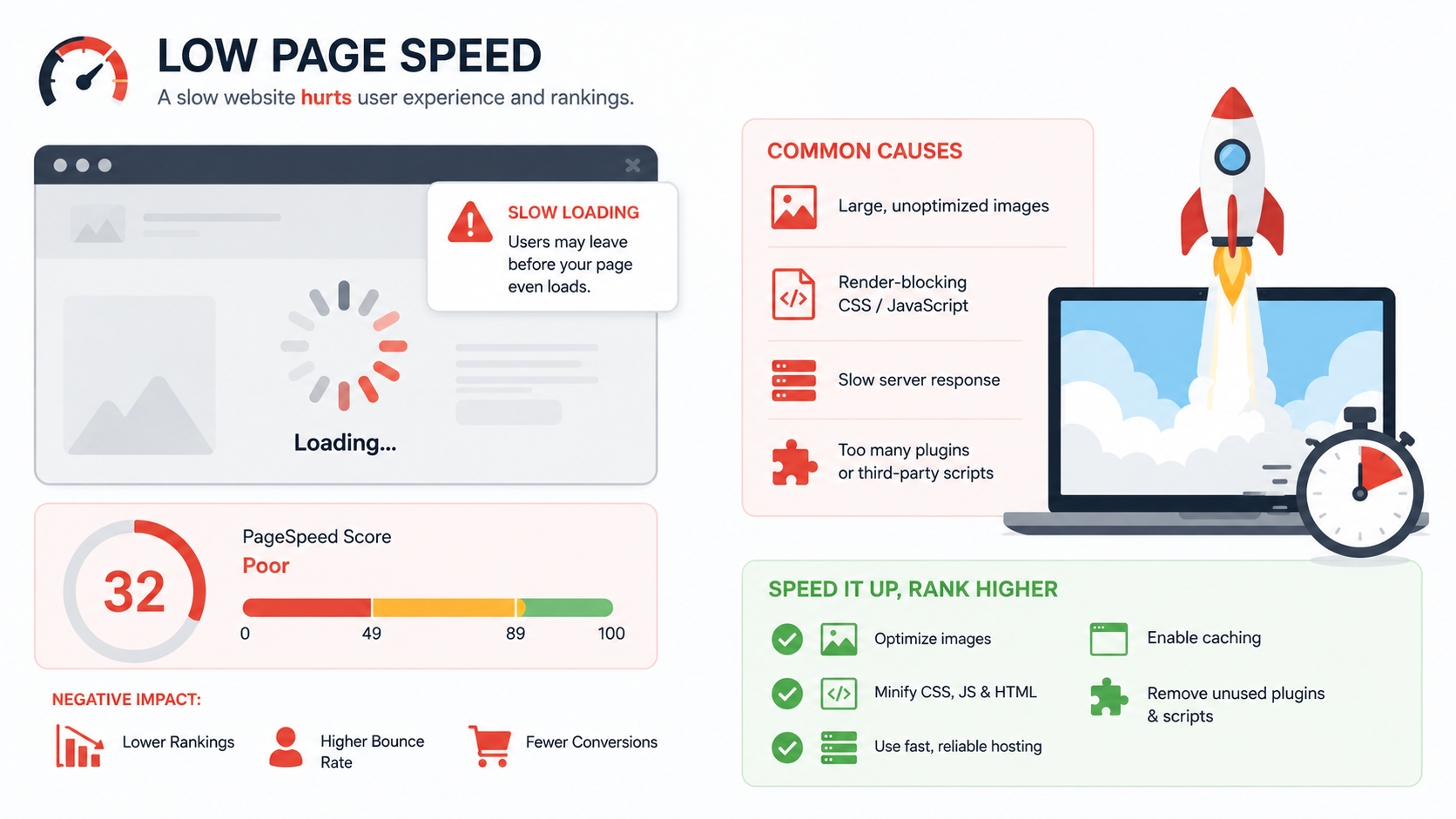
Page speed refers to how quickly your Shopify pages load for users. On Shopify stores, slow speed often comes from large images, heavy themes, too many apps, third-party scripts, tracking pixels and unused JavaScript.
-
Why it hurts rankings
Slow pages frustrate users and can hurt conversion rates. They also affect Core Web Vitals, which are part of Google’s page experience signals.
-
How to check it
Run important URLs through-
- Google PageSpeed Insights
- Lighthouse
- Shopify speed reports
- Google Search Console Core Web Vitals
- GTmetrix
Test your homepage, top collection pages, best-selling product pages and blog templates.
-
How to fix it
Start with the biggest issues-
- Compress large images.
- Use WebP where possible.
- Remove unused apps.
- Delay non-critical scripts.
- Reduce render-blocking JavaScript.
- Use a lightweight theme.
- Avoid oversized homepage sliders.
- Lazy load below-the-fold images.
Speed work should be done carefully. Removing the wrong app or script can break reviews, subscriptions, analytics or checkout-related tracking.
Your store may look fast on desktop but fail on mobile.
If your Core Web Vitals are poor, it may be time to Hire Shopify SEO Experts who can review the SEO and development side together.
4. Core Web Vitals Failures, Especially INP
-
What it is
Core Web Vitals measure real user experience. It’s a Google’s three page experience metrics-
- Largest Contentful Paint (LCP) measures how fast the main content loads.
- Interaction to Next Paint (INP) measures how quickly the page responds to user input.
- Cumulative Layout Shift (CLS) measures whether the layout jumps around while loading.
In March 2026, Google tightened the Good LCP threshold from 2.5 seconds to 2.0 seconds.
INP is the one many Shopify stores miss because it is usually connected to JavaScript.
-
Why it hurts rankings
A store with poor Core Web Vitals may offer a frustrating experience, especially on mobile. They are the direct, confirmed ranking signal. Only 39% of e-commerce sites pass all three simultaneously which means most of your competitors are also failing, but the ones that have fixed this have a measurable ranking advantage. 53% of mobile users abandon a page that takes more than 3 seconds to load. Every second of additional load time costs approximately 7% in conversions. For a store doing $500,000 a year, a two-second load time improvement can recover $70,000 or more in revenue without a single new visitor.
If users tap buttons, open filters, choose variants, or interact with forms and the page responds slowly, it affects both SEO and conversions.
-
How to check it
Use Google Search Console’s Core Web Vitals report. Review mobile and desktop separately.
Then use PageSpeed Insights to test individual templates:
- Homepage
- Collection page
- Product page
- Blog page
- Cart page
-
How to fix it
For LCP, optimize hero images, banners, fonts and main product images.
For CLS, define image dimensions, avoid layout shifts from banners and make sure review widgets or announcement bars do not push content down unexpectedly.
For INP, review JavaScript-heavy apps, theme scripts, filters, popups, upsells, subscriptions, reviews, live chat and tracking tools.
5. App-Generated Code Bloat
-
What it is
Shopify apps are useful, but every app can add CSS, JavaScript, tracking code, widgets or external requests. The problem is that some apps load code across the entire store, even on pages where the app is not needed.
-
Why it hurts rankings
Too many apps can slow down your store, increase JavaScript execution time, hurt INP and make pages heavier for mobile users.
-
How to check it
Review all installed apps in Shopify Admin. Then run PageSpeed Insights and check “Reduce unused JavaScript” and “Reduce unused CSS.”
Look for files connected to apps you no longer use or apps that load on irrelevant pages.
-
How to fix it
Run a quarterly app audit. Check these things-
- Is this app still being used?
- Does it support revenue or user experience?
- Is there a lighter alternative?
- Can the code load only on selected pages?
- Can this feature be handled directly in the theme?
Delete unused apps, but also check leftover code. Some apps leave snippets behind after uninstalling.
6. Missing or Broken Canonical Tags
-
What it is
A canonical tag tells search engines which version of a page is the main version.
This is important for Shopify because product pages, variants, collections, filters, tags, and duplicate URLs can create several similar pages.
-
Why it hurts rankings
Without proper canonicals, search engines may index the wrong URL, split ranking signals or ignore the version you actually want to rank.
-
How to check it
Use a crawler and review canonical tags across-
- Product pages
- Collection pages
- Blog posts
- Filtered URLs
- Variant URLs
- Pagination
- Old landing pages
Look for missing canonicals, canonicals pointing to redirected URLs, and canonicals pointing to non-indexable pages.
-
How to fix it
Each important indexable page should usually have a self-referencing canonical.
Duplicate or alternate product paths should canonicalize to the preferred product URL. If your theme has been customized, ask a developer to review the canonical logic inside the theme.
7. Orphan Pages with No Internal Links
-
What it is
Orphan pages are live pages on your store that have no internal links pointing to them. They may include old blogs, seasonal collections, campaign landing pages, hidden product pages or pages created during redesigns.
-
Why it hurts rankings
Search engines use links to discover and understand pages. If no page links to an important URL, that page may not receive enough crawl attention or internal authority.
-
How to check it
Use Screaming Frog or Sitebulb with sitemap crawl data. Compare URLs found in the sitemap with URLs found through internal crawling.
You can also check Google Analytics or Shopify Analytics for pages with traffic but no clear navigation path.
-
How to fix it
Add internal links from relevant-
- Collection pages
- Product pages
- Blog posts
- Buying guides
- Navigation menus
- Footer sections
- Related product blocks
If the page has no value, remove it and redirect it to the closest relevant live page.
8. 404 Errors on Indexed or Linked Pages
-
 What it is
A 404 error happens when a page no longer exists. On Shopify, this often happens when products are deleted, collections are renamed, URLs are changed or seasonal pages are removed.
-
Why it hurts rankings
If a deleted URL had backlinks, internal links, rankings or traffic, a 404 can waste that value. It also creates a poor user experience when visitors land on a dead page.
-
How to check it
Check
- Google Search Console indexing reports
- Crawl reports
- Shopify URL redirects
- Backlink tools
- Internal link reports
Pay special attention to old product URLs and collection URLs.
-
How to fix it
Use 301 redirects to send users and search engines to the most relevant live page.
For example-
- Old product to new version of the product
- Discontinued product to closest collection
- Old collection to updated collection
- Campaign page to related category or guide
Do not redirect every deleted product to the homepage. That is usually not helpful.
9. Missing or Incomplete Product Schema
-
What it is
Product schema is structured data that helps search engines understand product details such as name, price, availability, reviews, brand, SKU and images.
-
Why it hurts rankings
Schema does not guarantee rankings, but it helps search engines understand and display your products better. It can support rich results such as price, availability, ratings and product information.
In AI-powered shopping and product discovery experiences, clean structured data can also help your products become easier to understand.
-
How to check it
Use-
- Google Rich Results Test
- org validator
- Google Search Console enhancements report
Test a few product pages, not just one. Also test products with variants, reviews, discounts, subscriptions and out-of-stock status. This helps in Shopify product page SEO.
-
How to fix it
Make sure your product schema includes product name, description, image, brand, SKU or product ID, price, currency, availability, reviews or ratings when valid and variant information when needed.
If your theme and review app both output schema, check for duplicate or conflicting markup.
What Strong Shopify SEO Can Do- Case Studies (Work Done by Our Experts)
SEO becomes easier to understand when you connect it to business outcomes.
At Expert Village Media’s we have worked on hundreds of SEO projects where stores improved both traffic and revenue from organic search. Here are some of the SEO case study highlights include-
- Trevo Wellness (Provide liquid health and wellness supplements): 242.02% increase in organic website traffic and 381.23% increase in revenue from organic search.
- Cookie Good (Bakery known for dessert-inspired cookies): 190.36% increase in organic website traffic and 197.94% increase in revenue from organic search.
- Bodywear for Men (Specializing in intimate wear, underwear and swimwear for men): 481.44% increase in organic website traffic and 493.68% increase in revenue from organic search.
These results show why Shopify SEO should not be treated as a checklist you complete once and forget. The best results usually come from a complete approach like technical SEO, product page improvements, content strategy, internal linking, speed fixes and ongoing monitoring.
For growing stores, professional Shopify SEO optimization can help turn scattered SEO tasks into a clear growth roadmap.
Want to know what is holding your Shopify store back?
Hire Shopify SEO Experts to get a custom strategy for your store.
10. Duplicate or Weak Title Tags
-
What it is
The title tag is the title search engines usually use to understand and display your page in search results.
Duplicate title tags are common on Shopify stores, especially when themes automatically generate titles using only product names.
-
Why it hurts rankings
If several pages have the same title, search engines may struggle to understand which page is most relevant. Weak titles also reduce click-through rates.
-
How to check it
Use Screaming Frog, Ahrefs, or Semrush to find-
- Missing title tags
- Duplicate title tags
- Overly long titles
- Titles that do not include search intent
- Titles that are too generic
-
How to fix it
Write unique titles for important pages. For product pages, include the product type, key feature, material, audience or use case where natural.
For collection pages, match the way people search. For example…
Weak title: Summer Collection
Better title: Women’s Summer Dresses | Lightweight Casual Styles
Keep titles natural and please do not force keywords into every title.
11. Missing H1 Tags or Multiple H1 Tags
-
 What it is
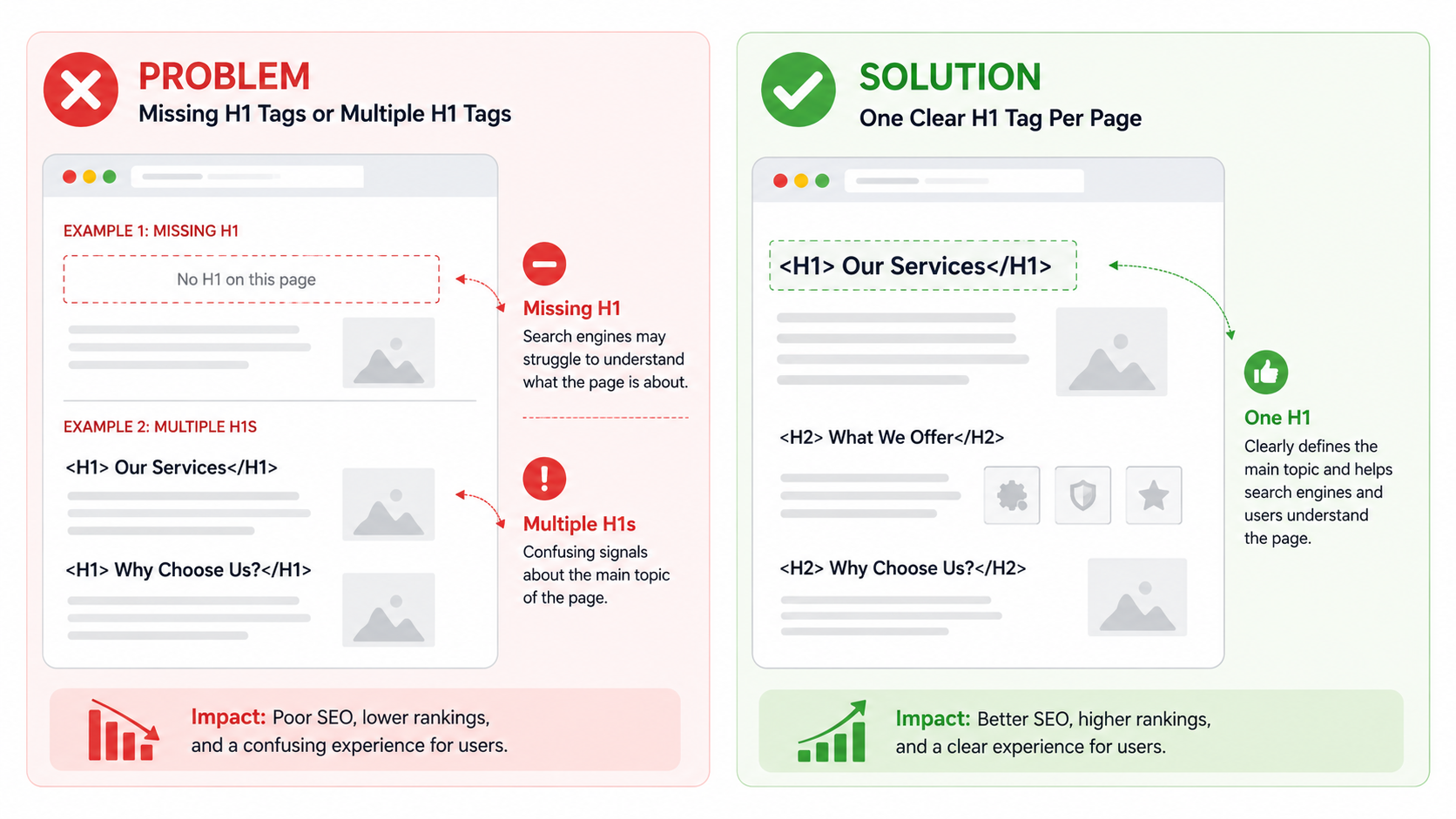
The H1 is the main heading of a page. It tells users and search engines what the page is about.
Some Shopify themes create missing H1s, multiple H1s or headings that look nice visually but are not structured correctly.
-
Why it hurts rankings
A page with no clear H1 can create confusion. A page with several H1s may weaken the main topic signal.
-
How to check it
Use a crawler to check H1 tags across all templates. Review-
- Homepage
- Product pages
- Collection pages
- Blog posts
- Pages created with page builders
-
How to fix it
Each indexable page should have one clear H1. For product pages, the H1 is usually the product name. For collection pages, the H1 should describe the category in searchable language. For blog posts, the H1 should match the main topic and reader intent.
12. Unoptimized Images
-
What it is
Image issues usually include:
- Oversized product images
- Missing alt text
- Generic file names
- Old image formats
- Images that slow down LCP
- Decorative images treated like important content
- Why it hurts rankings
Images affect page speed, accessibility, product discovery and user experience. For ecommerce stores, image SEO is especially important because buyers often search visually.
-
How to check it
Use-
- Screaming Frog image report
- PageSpeed Insights
- Shopify media library
- Google Search Console image performance
- Manual product page review
-
How to fix it
Before uploading images-
- Compress them.
- Use descriptive file names.
- Add natural alt text.
- Use WebP where possible.
- Avoid uploading extremely large images when smaller dimensions work.
- Keep image quality strong enough for shoppers.
Good alt text describes the image accurately.
Example: Weak alt text- bag
Better alt text- Black leather crossbody bag with gold chain strap
Do not stuff keywords into alt text. Keep it useful.
13. txt Blocking Important Pages
-
What it is
The robots.txt file tells search engine crawlers which pages or sections they can request. Shopify creates a default robots.txt file, but custom edits can accidentally block important product, collection or content pages.
-
Why it hurts rankings
If search engines cannot crawl an important page, that page may not be indexed or updated properly. One incorrect rule can create a serious visibility problem.
-
How to check it
Visit: yourstore.com/robots.txt, then inspect the rules. Also use Google Search Console’s URL Inspection tool to test important URLs.
-
How to fix it
Do not edit robots.txt unless you understand the impact.
Review any custom rules added by developers, apps or previous SEO teams. If an important page is blocked, update the rule carefully and request indexing after the fix. For most Shopify stores, the default robots.txt setup is enough.
14. Redirect Chains and Redirect Loops
-
What it is
A redirect chain happens when one URL redirects to another URL, which redirects to another URL.
Example: Old URL → Older URL → New URL → Final URL
A redirect loop happens when URLs redirect in a circle and never reach a final page.
- Why it hurts rankings
Redirect chains slow down crawling and loading. They can also dilute signals and create confusion after migrations, redesigns or URL changes.
-
How to check it
Use-
- Screaming Frog
- Ahrefs Site Audit
- Semrush Site Audit
- Redirect Path browser extension
Look for URLs with more than one redirect hop.
-
How to fix it
Update redirects so the original URL points directly to the final destination.
After any Shopify redesign, product cleanup, migration or collection restructuring, always audit redirects.
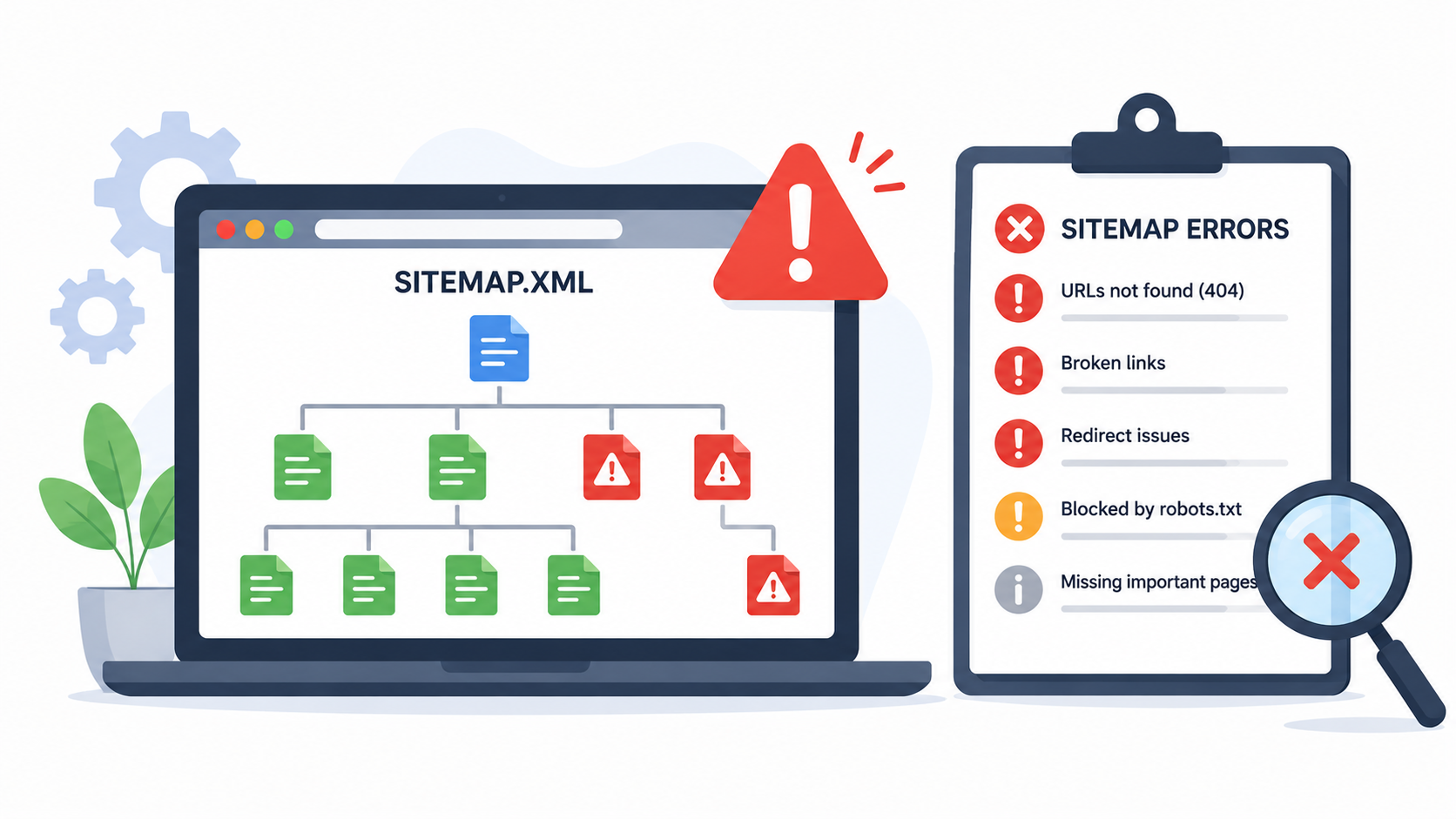
15. Sitemap Errors
-
 What it is
Your sitemap tells search engines which pages exist on your store. Shopify automatically creates a sitemap, but errors can still appear when products are deleted, pages are hidden, redirects are created or non-indexable pages remain live.
-
Why it hurts rankings
A sitemap should help search engines find your best pages. If it includes broken, redirected, duplicate or low-value URLs, it becomes less useful.
-
How to check it
Go to Google Search Console and review the Sitemaps section.
Check for-
- Submitted URLs with errors
- Redirected URLs
- 404 URLs
- Non-indexable URLs
- Duplicate submitted pages
- Old product URLs
- How to fix it
Keep your active product, collection, blog and page URLs clean.
If products are removed, redirect them properly. If pages should not be indexed, make sure they are not being promoted as important sitemap URLs.
Tools You Need to Run a Shopify SEO Audit
You do not need every SEO tool in the market. Start with the essentials.
- Google Search Console
- Google Analytics 4
- Shopify Analytics
- PageSpeed Insights
- Screaming Frog or Sitebulb
- Ahrefs or Semrush
- Microsoft Clarity or Hotjar
Need a Shopify SEO audit that gives you next steps, not just a long error report?
Talk to Expert Village Media about technical SEO, product page SEO, content strategy, and ongoing Shopify optimization.
Shopify SEO Checklist- Frequently Asked Questions
1. How often should I update Shopify SEO?
You should check basic SEO health monthly, run a deeper audit quarterly and complete a full technical SEO audit at least twice a year.
You should also run an audit after redesigns, theme updates, migrations, major product changes or app changes.
2. How much do Shopify SEO services cost?
Shopify SEO Services Cost depends on the size of your store, number of products, technical issues, content needs, competition level and whether you need one-time fixes or monthly support.
A smaller store may need a focused audit and optimization plan. A larger store may need ongoing technical SEO, content strategy, product optimization, link building and conversion-focused improvements.
For a clear estimate, it is best to connect with our experts to get a custom audit or consultation.
3. Should I hire Shopify SEO experts?
You should consider hiring Shopify SEO experts if-
- Your organic traffic is flat or declining.
- Your products are not ranking.
- Your collection pages have little visibility.
- Your store is slow.
- You recently changed themes.
- You migrated to Shopify.
- You have many apps installed.
- You are unsure which SEO issues matter most.
- You want SEO to support revenue, not just traffic.
If your store is growing, expert help can save time and prevent expensive mistakes.
4. How long does Shopify SEO take to show results?
SEO usually takes time. Some technical fixes can show improvement within weeks after Google recrawls your pages. Content and authority improvements often take three to six months or longer.
The timeline depends on your site history, competition, technical condition, content quality, backlinks and how quickly fixes are implemented.
5. Do Shopify apps hurt SEO?
Apps do not automatically hurt SEO. Many are useful. The problem is app bloat.
Too many apps can slow your store, add unnecessary scripts, create duplicate code or affect Core Web Vitals. Review apps regularly and remove anything that does not support user experience, revenue or operations.
6. Does AI search change Shopify SEO?
Yes. AI search makes clarity, structure, authority, and product data more important.
Your store should have clear product information, helpful FAQs, strong schema, trustworthy reviews, expert content and consistent brand information. The easier your store is to understand, the better positioned it is for both traditional search and AI-assisted discovery.
Treat Shopify SEO as a Growth System
How to rank Shopify store on first page of Google? Shopify SEO in 2026 is not about chasing one ranking trick. It is about building a store that search engines can crawl, users can trust and buyers can navigate without friction.
Start with the technical foundation. Fix crawl and indexing issues. Improve Core Web Vitals. Clean up duplicate URLs. Strengthen product and collection pages. Add useful content. Build internal links. Review performance often.
Once the foundation is strong, SEO becomes easier to scale.
If your store has rankings but not enough revenue, traffic but low conversions or products that deserve more visibility, it may be time to get expert help.
Expert Village Media provides Shopify SEO services built for ecommerce stores that need better visibility, stronger technical performance, and a strategy tied to business growth.
Ready to find out what is holding your store back?
Hire Shopify SEO experts and get a roadmap for improving your Shopify rankings, traffic and sales.

Amit Porwal
CEO and FounderAmit Porwal is the CEO and Founder of Expert Village Media and Wiser AI . He’s passionate about e-commerce, and loves helping Shopify store owners boost sales with upselling, cross-selling, digital marketing, & personalized shopping experiences. With years of experience in e-commerce web development Amit believes in building simple and effective online store that actually make a difference. He is always excited to talk about the power of personalization and how he can make e-commerce smarter and more customer-friendly with the help of AI.
 US Office
 INDIA Office
 UK Office