Custom Shopify Theme Development vs. Paid Shopify Themes
Contents
Every Shopify store runs on a theme, and sooner or later most owners reach the same fork in the road. Do you buy a paid theme from the Shopify Theme Store and shape it around your brand, or go for custom Shopify theme development, where a developer builds one from scratch?
The custom Shopify theme vs paid theme question looks like a budget decision, but price is only part of it. The two options differ in how fast you can launch, who keeps the code working, how updates reach you, and how freely you can change things later.
Here is the short answer. A paid theme suits most new and growing stores, because it is affordable, tested and maintained by its developer. A custom theme starts to make sense when your store needs layouts or features no theme offers, and when a tailored storefront can earn back a much larger build and upkeep cost. This guide walks through the trade-offs so you can tell which side of that line you are on.
What You Are Actually Choosing Between
Paid Shopify themes
A paid theme is a ready-made design sold through the Shopify Theme Store by an independent theme developer. You pay once, usually somewhere between $100 and $500, and the license covers one store. You set it up in the theme editor by choosing colors, fonts, sections and page layouts, with no code needed.
Every theme has to pass Shopify’s review before it is listed. Part of that review is an average Lighthouse performance score of at least 60 and an accessibility score of at least 90 across the home, product and collection pages. You can also try any paid theme in your own store before buying. That matters, because Shopify treats theme purchases as final sale.
Custom Shopify themes
A custom theme is built for one store by a developer or agency. Design usually comes first, as mockups of the key pages. The theme is then coded in Liquid, Shopify’s template language, around your products and the way you sell. No other store has the same storefront, and every section can behave exactly as you want. You are paying for the time to design, build and test, which is why prices run in thousands of dollars rather than hundreds.
The middle path many stores take
Plenty of stores land between the two. They use a paid theme as the base and hire a Shopify expert to add a handful of custom sections, templates or features. You keep the tested foundation and the update path, and you only pay custom rates for the parts that truly need it. Keep this option in mind as you read the comparison below.
Custom Shopify Theme vs Paid Theme at a Glance
The table below sums up the custom Shopify theme vs paid theme trade-offs before we look at each one in more detail.
| Factor | Paid theme | Custom theme |
| Upfront cost | $100 to $500, one time | Thousands, depending on scope |
| Time to launch | Days to a few weeks | Usually one to three months |
| Design | Shared base, made yours through settings | One of a kind |
| Built-in features | Large set, tested across many stores | Only what you pay to build |
| Quality checks | Shopify Theme Store review | Depends on your developer |
| Updates | Free from the theme developer | Paid developer time |
| Support | The theme developer | Your developer or agency |
| License | One store per purchase | Set by your contract |
What each option really costs
A paid theme’s price is easy to see. What people forget is everything around it: product photos, copy, apps for features the theme lacks, and a few hours of developer help for small tweaks. Even with those extras, most stores launch on a paid theme for a small fraction of a custom build.
Custom pricing varies far more. Agency estimates published online run from around $2,000 for a simple build to $30,000 or more for stores with many templates, integrations or languages. Scope drives the number: how many unique page templates you need, how much custom functionality, and how much design work happens before any code is written.
Then there is the cost after launch. Updates to a paid theme are free. A custom theme has no outside developer releasing improvements, so new Shopify features, bug fixes and design changes all come out of your budget. When you compare quotes, look at three years of cost, not just the launch invoice.
Speed, SEO and App Compatibility
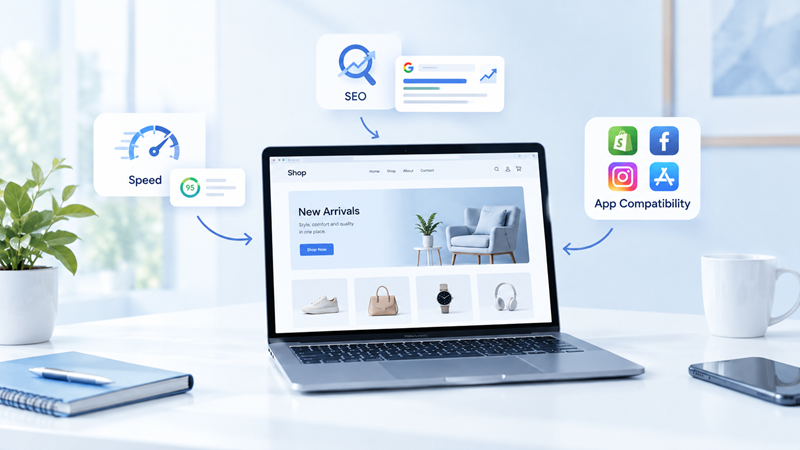
Neither option is automatically faster or better for search. What matters is the quality of the code and what you add on top of it.
Speed. Paid themes have to clear Shopify’s performance bar, but that test runs on a clean benchmark store. Your live store adds real images, apps and scripts, so your scores will usually be lower. A custom theme can be leaner because it only includes what you use. It can also be slower if corners are cut. Ask any developer how they test speed before launch, and on which pages.
SEO. Both options sit on the same Shopify URLs, sitemaps and SEO fields, so neither has a built-in ranking edge. Differences show up in heading structure, structured data and page speed. Well-made paid themes usually handle product structured data and one H1 per page out of the box. A custom build gives you full control, but only if someone checks the result. Whichever route you take, run your key templates through a Shopify SEO checklist before you go live.
Apps. Paid themes from the Theme Store are built on Online Store 2.0, so most apps can drop in as app blocks or app embeds without touching code. A custom theme needs the same app block support built in, or each new app may need developer time to install. Before a custom build starts, list every app you use and confirm the developer has planned for each one.
Updates, Support and Ownership
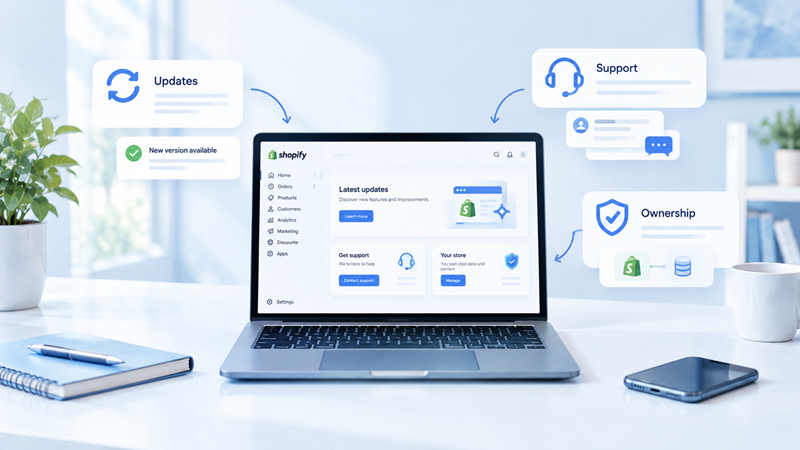
This is where the two options differ most once your store is live.
With a paid theme
The theme developer releases new versions with features and fixes, and you can add each one to your store for free. Support comes from that developer rather than from Shopify. The license is tied to the store you bought it for, so a second store means a second purchase. Themes bought outside the Theme Store don’t receive updates through your Shopify admin, so updates depend on whoever sold them to you.
One catch: if you or a developer edit a paid theme’s code heavily, those edits have to be carried into each new version by hand. Lots of code changes slowly turn a paid theme into a custom one, with the same upkeep.
With a custom theme
There is no update notice in your admin. When Shopify releases new theme features, your developer adds them, and you pay for that time. The upside is control. Nothing changes unless you decide it should, and no outside vendor can stop supporting your theme.
Ownership is worth getting in writing. Agree that the code belongs to you once it is paid for, that you receive the full theme files, and that the build is documented well enough for another developer to pick it up. A custom theme that only one person understands is a long-term risk for any store.
How to Decide Which One Fits Your Store
The right answer depends less on budget than on how standard your store’s needs are and how much ongoing developer support you can rely on.
A paid theme is usually the better fit when
- You are launching, or still testing products and pricing
- Your catalog and buying journey are fairly standard
- You want to be live in weeks, not months
- You don’t have a developer on call for ongoing changes
- A theme in the Theme Store already covers most of the layouts you want
If you are still browsing, this guide to the best Shopify themes for different types of businesses is a useful shortlist to try first.
A custom theme starts to make sense when
- The brand experience is a big part of why customers buy from you
- You need features no theme offers, such as a product builder or a complex wholesale flow
- You keep stacking apps and code edits to force a theme into shape
- Your revenue is high enough that a better-converting storefront can pay back the build and upkeep
- You have a developer or agency you can work with long term
A simple test before you commit
Write down the five things your store must do that a standard theme doesn’t. Then try two or three paid themes in your store, since trials are free, and count how many of the five each one covers.
If a good theme handles most of the list, a paid theme with a few custom sections is likely your best value. If none come close, the case for custom is strong. In that case, it helps to understand what custom Shopify theme development involves, from discovery and mockups to testing and handover, before you start collecting quotes.
Frequently Asked Questions
Is a custom Shopify theme better than a paid theme?
Not by default. A custom theme fits your store exactly, but it costs far more to build and to maintain. For most stores, a well-chosen paid theme is the better option until their needs outgrow what any theme can do.
Are Shopify themes a one-time purchase?
Yes. Paid themes from the Shopify Theme Store are a one-time payment licensed to one store, and new versions from the theme developer are free to install.
Can I get a refund on a paid Shopify theme?
Theme Store purchases are final sale, with a narrow exception for moving a theme between stores you own. That is why Shopify lets you try any paid theme in your store before you pay.
How much does a custom Shopify theme cost?
It depends on scope. Simple builds can start around $2,000, while stores with many templates, custom features or several languages can pass $30,000. Budget for ongoing developer time as well, since updates aren’t included.
Can I start with a paid theme and move to a custom one later?
Yes, and many stores do exactly that. Your products, customers, orders and URLs stay in your Shopify admin when you change themes, so going custom later means rebuilding the storefront, not the whole store.

Amit Porwal
CEO and FounderAmit Porwal is the CEO and Founder of Expert Village Media and Wiser AI . He’s passionate about e-commerce, and loves helping Shopify store owners boost sales with upselling, cross-selling, digital marketing, & personalized shopping experiences. With years of experience in e-commerce web development Amit believes in building simple and effective online store that actually make a difference. He is always excited to talk about the power of personalization and how he can make e-commerce smarter and more customer-friendly with the help of AI.
 US Office
 INDIA Office
 UK Office