Shopify POS vs. Traditional POS Systems: Which Is Better for Retail Business?
Contents
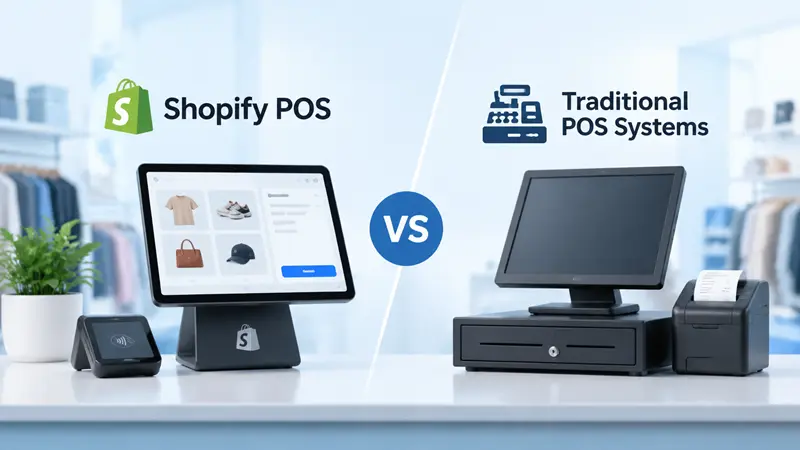
If you run a physical store, your point of sale system does far more than ring up sales. It tracks stock, stores customer details, handles returns and produces the numbers you use to plan the next season. So when the old till starts showing its age, or you open an online store alongside your shop, the Shopify POS vs traditional POS question becomes a real business decision.
The right answer depends on how you sell today and where you want to grow. This guide compares the two on cost, features, inventory, reliability and setup, so you can decide before you sign a contract, buy hardware or hire a Shopify expert to handle the switch.
Here is the short version. Shopify POS is usually the better fit for retailers who sell, or plan to sell, both online and in store. A traditional system can still make more sense for shops that only sell in person, businesses like restaurants, or stores that rely on specialized in-store features Shopify doesn’t offer.
What Shopify POS Is, and What Counts as a Traditional POS
Shopify POS
Shopify POS is Shopify’s point of sale app. It runs on an iPhone, iPad, Android device or Shopify’s own POS Terminal and POS Go hardware, and it connects directly to the same admin as your online store. Products, inventory, customers, orders and reports live in one place, whether a sale happens on your website or at the counter.
Basic in-person selling is included with every paid Shopify plan. Permanent stores with staff usually add POS Pro, which costs $89 USD per month per location. It adds staff roles and permissions, advanced inventory tools, omnichannel options such as buy online and pick up in store, and detailed retail reports.
Traditional POS systems
“Traditional POS” usually means one of two things:
- Legacy on-premise systems. Registers or terminals connected to a server in the back office, often with software licenses, a local database and a maintenance contract.
- Standalone, POS-first systems. In-store systems built mainly for selling in person. Many are now cloud based, such as Square, Lightspeed or Clover, and they can connect to an online store, usually through an integration rather than a shared system.
What these have in common is that your shop and your website run as separate systems that have to be kept in sync.
Shopify POS vs Traditional POS at a Glance
| Factor | Shopify POS | Traditional POS |
|---|---|---|
| Setup | App on phones, tablets or Shopify hardware, often ready in days | Installed terminals and software, which can take weeks |
| Upfront cost | Low, with card readers from $49 | Often higher for terminals, servers and licenses |
| Ongoing cost | Shopify plan, POS Pro per location and card fees | Licenses or subscriptions, maintenance and integration fees |
| Online and in-store stock | Shared automatically | Separate, synced by an integration or by hand |
| Customer profiles | One profile across online and in store | Often a separate list for each channel |
| Omnichannel options | Pickup in store, ship to customer, in-store returns of online orders | Varies, and often needs add-ons |
| Software updates | Automatic through the app | Manual or scheduled by the vendor |
| Offline selling | Cash and custom payments, with limited card options | Often strong, especially on-premise systems |
| Specialist industries | Built mainly for retail | Options for restaurants, grocery, pharmacy and more |
Neither column wins on every row. The sections below explain where each one pulls ahead.
What Each Option Really Costs
Shopify POS costs
With Shopify POS, you pay for four things. These are US prices on monthly billing:
| Cost | What to expect |
|---|---|
| Shopify plan | $39/month Basic, $105/month Grow, $399/month Advanced |
| POS Pro (optional) | $89/month per location |
| In-person card rate | 2.6% + 10¢ on Basic, 2.5% + 10¢ on Grow, 2.4% + 10¢ on Advanced |
| Hardware (one time) | Card readers from $49, POS Terminal $349, plus printers, scanners and cash drawers |
POS Pro is priced per location, not per register, so adding a second till in the same shop doesn’t add software fees. A retailer with five shops, however, pays for POS Pro five times. Shopify Plus includes POS Pro for the first 20 locations, rising to 200 when Shopify Payments is the main payment provider for your stores. That is one reason growing chains look into Shopify Plus development once they reach that size.
Traditional POS costs
Legacy systems tend to carry larger upfront costs for terminals, back-office servers and software licenses, plus yearly maintenance and support contracts. Standalone cloud systems are cheaper to start with, but costs build up with each extra register, add-on module, payment processing contract and connector to your online store.
The cost that’s easiest to miss is keeping two systems in sync. If your website and shop run separately, someone pays for the integration, fixes sync errors and reconciles stock when the numbers don’t match.
Compare total cost, not the monthly fee
Add up three years of software, hardware, payment fees, integrations, staff training and the hours spent fixing data. A Shopify-commissioned study by EY reported 22% lower total cost of ownership for retailers on Shopify POS. As with any vendor-funded research, check that figure against real quotes for your own store.
Inventory, Omnichannel Selling and Customer Data
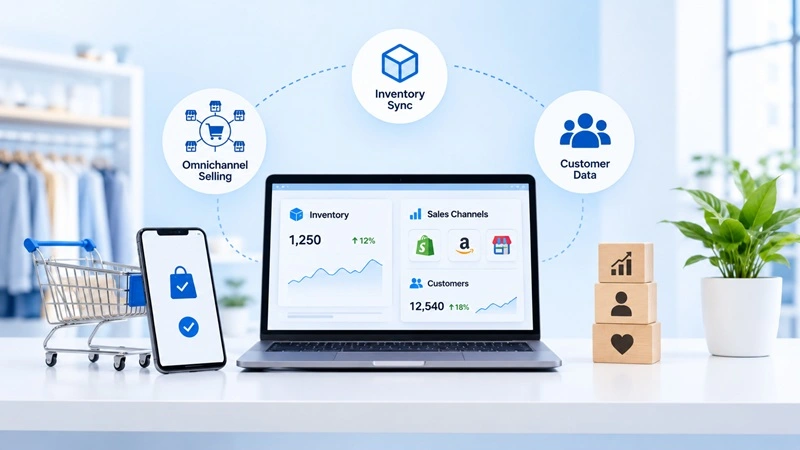
This is where Shopify POS has its clearest advantage, and it matters most if you sell online as well as in store.
One stock count
When a product sells in your shop, the online stock count updates straight away, and the same happens in reverse. Each location keeps its own stock level, so you can see what’s in the shop, the warehouse or a second store from one screen. With separate systems, stock syncs on a schedule or by hand, and every gap risks overselling a sold-out item or missing a sale you could have made.
Selling across channels
Shopify POS supports the in-store options shoppers now expect, several of which need POS Pro:
- Buy online and pick up in store
- Ship to the customer when an item is out of stock in the shop but available elsewhere
- In-store returns and exchanges for online orders
- Checking stock at other locations so staff can save a sale
One customer profile
Online and in-store purchases land on the same customer profile. Staff can see a shopper’s history at the counter, and your email marketing can treat an in-store buyer the same way as an online one. Traditional setups often keep two customer lists that never quite match, which makes loyalty programs and personal service harder than they need to be.
Where Traditional POS Systems Still Win
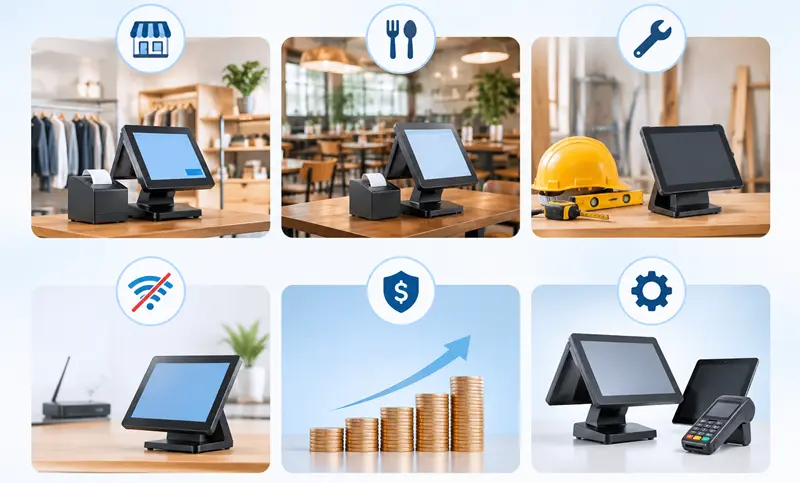
Shopify POS isn’t the right answer for every shop. A traditional or POS-first system can be the better choice in these situations:
- In-store only businesses. If you have no plans to sell online, the main benefit of a shared system disappears, and a POS-first system may cost less or suit your workflow better.
- Restaurants and hospitality. Table layouts, kitchen display screens, tipping and course timing are core features of food service systems, and Shopify POS isn’t built for them.
- Specialized trades. Grocery stores with weighing scales, pharmacies, fuel stations, and consignment or rental shops often need tools that specialist systems include from day one.
- Unreliable internet. An on-premise system that runs fully on local hardware can be safer where connections drop often. Shopify POS keeps selling offline with cash and custom payment types, but offline card payments depend on your hardware, region and settings, so test this before you commit.
- Recent investment. If you just bought hardware or signed a multi-year contract, switching now may cost more than it saves.
- Hardware freedom. Shopify POS works with a defined list of supported devices and accessories, while some traditional systems run on a wider range of equipment you may already own.
If one of these describes your business, it doesn’t rule Shopify out completely. It does mean you should test the specific workflows your staff use every day before deciding.
How to Decide, and What to Do If You Switch
There’s no single winner in the Shopify POS vs traditional POS debate. The better system is the one that matches how your business sells and grows.
Quick decision guide
| Your situation | Likely better fit |
|---|---|
| You sell online on Shopify and run one or more shops | Shopify POS |
| You’re opening your first shop after selling online | Shopify POS |
| You sell only in person, with no online plans | Traditional or POS-first system |
| You run a restaurant or café | Hospitality POS |
| You work in a specialized trade with unique tools | Specialist POS, or Shopify POS with a proven app |
| You run many locations with central buying | Compare Shopify POS on Plus with enterprise retail systems |
Questions to ask before you choose
- Will most of your growth over the next three years come from online or in store?
- Which features do staff use every day, and does each option include them without paid add-ons?
- How reliable is the internet connection in your store?
- What will it cost, in money and hours, to keep online and in-store data in sync?
If you move to Shopify POS
Shopify’s retail migration guide covers the setup steps. On top of that:
- Clean your product data first, since old POS exports often carry duplicate SKUs, outdated prices and missing barcodes
- Set up each shop as a location and check stock counts before launch
- Test every payment method, discount, tax rule, gift card and receipt on the actual devices staff will use
- Train staff with real scenarios, such as returning an online order, an exchange and a split payment
- Keep the old system available for its sales history, and run both side by side for a short period if you can
Finally, choose a quiet time to go live. The BFCM checklist for Shopify recommends finishing store changes early and freezing major updates about two weeks before Black Friday. That advice matters even more for the system your tills run on.
Frequently Asked Questions
Is Shopify POS better than a traditional POS system?
For retailers who sell both online and in store, usually yes, because inventory, customers and orders share one system. For in-store only shops, restaurants or specialized trades, a traditional or specialist system can be the better fit.
How much does Shopify POS cost?
Basic in-person selling is included with Shopify plans starting at $39 per month in the US. POS Pro adds $89 per month per location. In-person card rates run from 2.4% to 2.6% plus 10¢ depending on your plan, and hardware starts at $49 for a card reader.
Does Shopify POS work offline?
Yes, with limits. You can keep selling with cash and custom payment types during an outage, and sales sync once you’re back online. Offline card payments depend on your hardware, region and settings, so check them before you rely on them.
Can I use Shopify POS without an online store?
Yes. You can sell only in person on Shopify, and Shopify offers a Retail plan aimed at businesses that mainly sell in store. Check Shopify’s pricing page for what each plan includes before you sign up.
Can I move from my current POS to Shopify POS without losing data?
Products, customers and stock levels can usually be exported from your old system and imported into Shopify by CSV. Historic sales often stay in the old system for reporting, so plan a clean cutover date and keep access to your old records.

Amit Porwal
CEO and FounderAmit Porwal is the CEO and Founder of Expert Village Media and Wiser AI . He’s passionate about e-commerce, and loves helping Shopify store owners boost sales with upselling, cross-selling, digital marketing, & personalized shopping experiences. With years of experience in e-commerce web development Amit believes in building simple and effective online store that actually make a difference. He is always excited to talk about the power of personalization and how he can make e-commerce smarter and more customer-friendly with the help of AI.
 US Office
 INDIA Office
 UK Office